
Skip to content
BIGCLOUDY CONTROL PANEL

User hosting panel

Website, email, files, databases, and account tools for hosting users on port 2083.
24 step-by-step guides
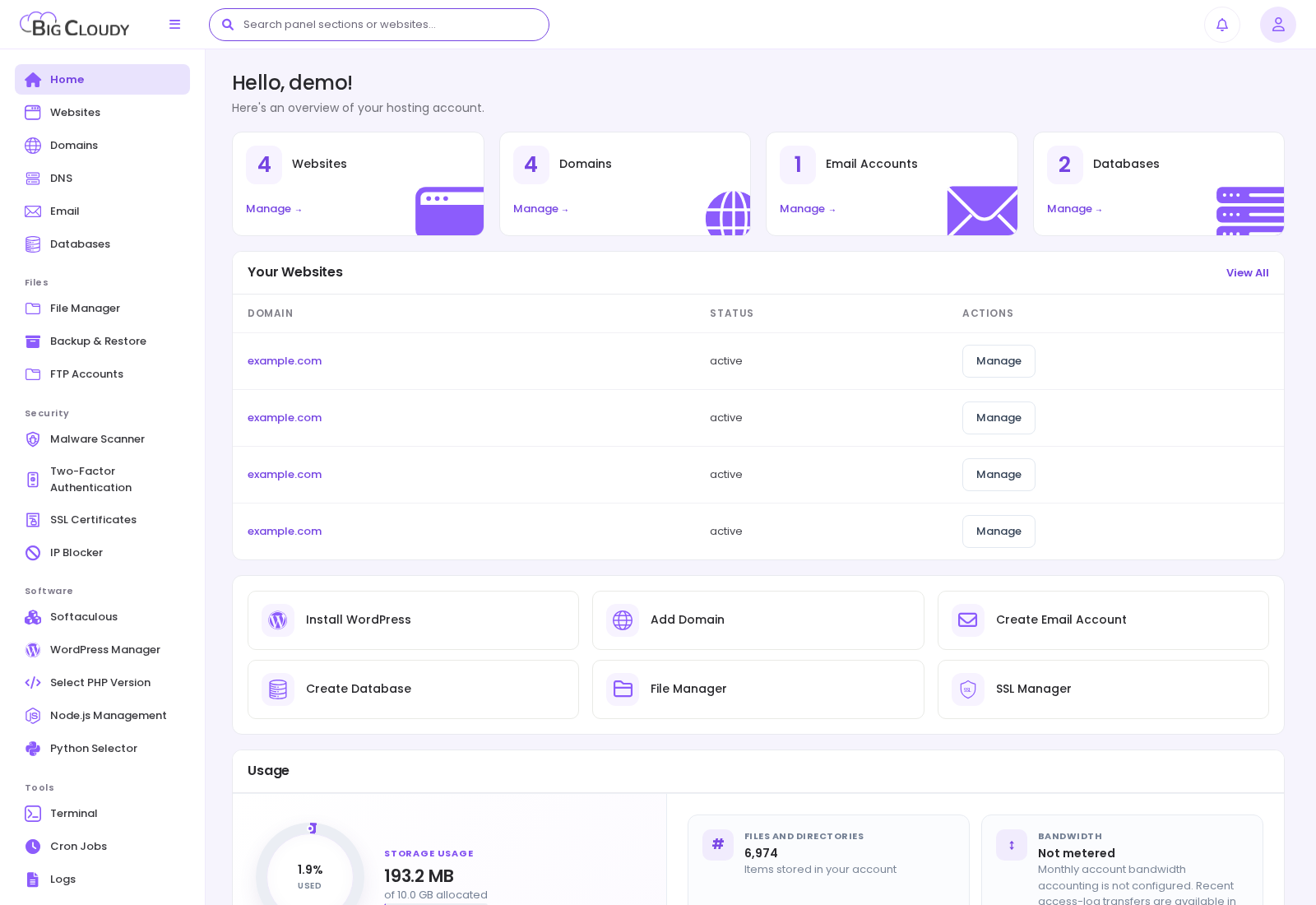
Hosting user dashboard showing account websites, domains, email and database totals, management shortcuts, and usage.
LEARNING PATH

Learn from basics to advanced administration

Follow the sections in order for a complete introduction, or open the level that matches the work you need to do.

01

Basics

Start here to learn the panel, create core resources, and understand account limits.

8 guides
Home dashboardRead account usage, quick actions, and the list of your websites.BasicsWebsitesInspect your domains, document roots, and website-level settings.BasicsDomainsAdd and manage domains and aliases for your hosting account.BasicsDNSEdit DNS records for domains managed by the panel DNS service.BasicsEmail accounts and webmailCreate mailboxes, manage passwords and quota, and open webmail.BasicsDatabasesCreate databases, users, backups, and phpMyAdmin access.BasicsFile ManagerUpload, edit, organize, and set permissions on website files.BasicsFTP Accounts and SFTPCreate restricted FTP logins and use encrypted file transfer.Basics
02

Daily operations

Run and maintain the everyday hosting tasks that keep websites and services working.

5 guides
Backup & RestoreCreate and restore account-level backups.Daily operationsSSL CertificatesIssue and manage HTTPS certificates for your websites.Daily operationsSoftaculousOpen the connected application installer for supported scripts.Daily operationsWordPress ManagerInstall, inspect, update, and maintain WordPress sites.Daily operationsSelect PHP VersionChoose PHP versions, extensions, and options per website.Daily operations
03

Security

Protect access, web applications, and hosting data before moving into advanced administration.

4 guides
Malware ScannerRun approved scans and review files reported for your websites.SecurityTwo-Factor AuthenticationAdd a second sign-in factor to your hosting account.SecurityIP BlockerBlock selected visitor IP addresses or networks from your websites.SecurityHosting PasswordChange the password for your hosting account.Security
04

Advanced administration

Use specialised infrastructure, automation, and server-management capabilities with care.

7 guides
Node.js ManagementCreate and operate managed Node.js and Next.js applications.Advanced administrationPython SelectorCreate and manage supported Python web applications.Advanced administrationTerminalRun account-scoped commands in the hosting environment.Advanced administrationCron JobsSchedule recurring tasks for your hosting account.Advanced administrationLogsRead website and application error evidence.Advanced administrationMetricsReview storage, bandwidth, inode, and resource use.Advanced administrationBilling and SupportOpen the client area and create useful support requests.Advanced administration
User dashboard in the user panel. Account names, domains, and addresses are examples. Available controls depend on your package and server configuration.
Hosting user dashboard showing account websites, domains, email and database totals, management shortcuts, and usage.

User dashboard in the user panel. Account names, domains, and addresses are examples. Available controls depend on your package and server configuration.

Still need a hand?

Get help with your plan, website, or hosting through your client area.

Open client area