
Skip to content
BIGCLOUDY CONTROL PANEL

Administrator panel

Server-wide hosting, security, services, and account administration for port 2087.
26 step-by-step guides
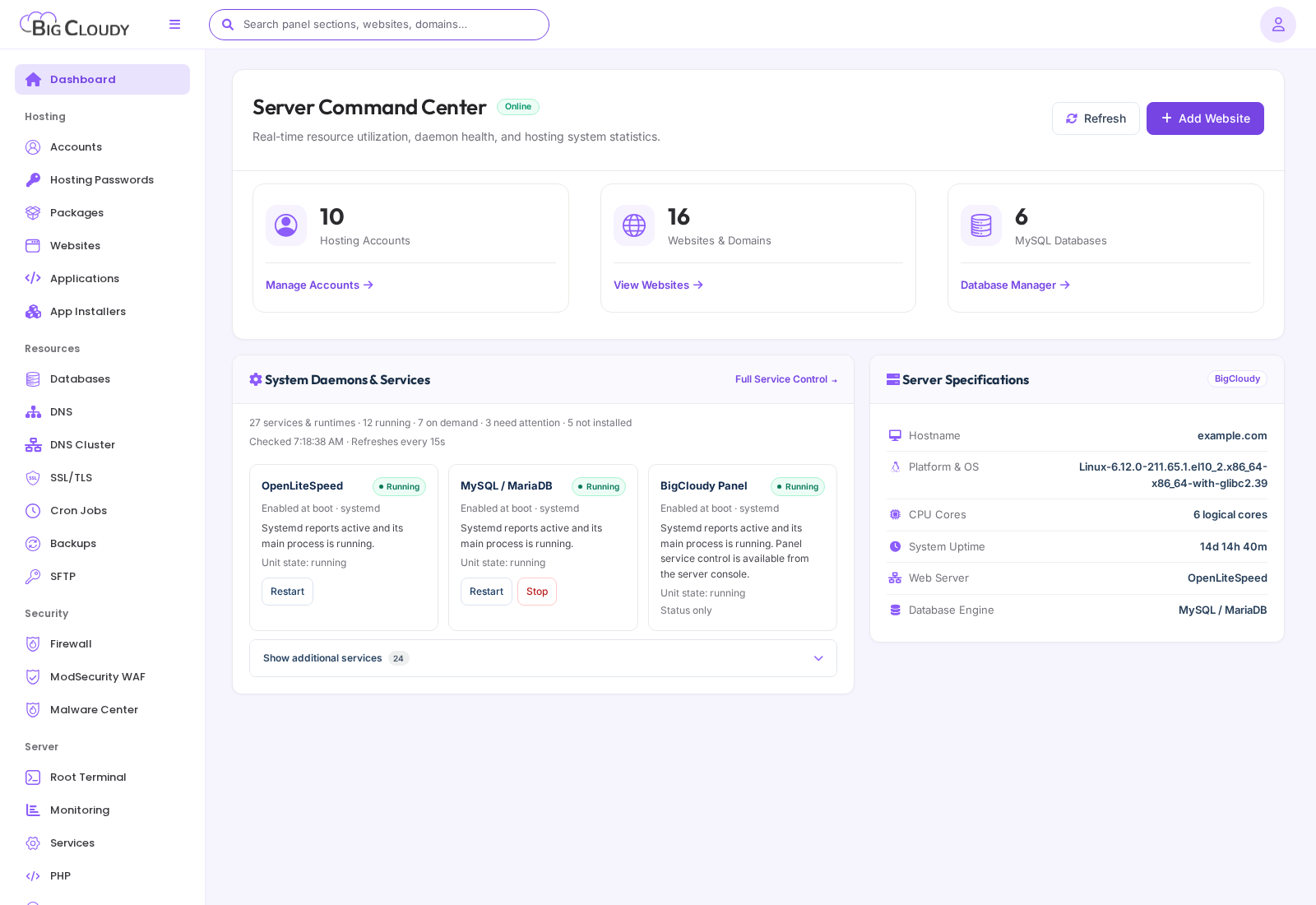
Administrator dashboard showing hosting account totals, website and database counts, service status, and server specifications.
LEARNING PATH

Learn from basics to advanced administration

Follow the sections in order for a complete introduction, or open the level that matches the work you need to do.

01

Basics

Start here to learn the panel, create core resources, and understand account limits.

7 guides
Administrator dashboardRead the server overview and jump to account, website, database, and service actions.BasicsAccountsCreate, find, suspend, resume, and enter a hosting account safely.BasicsPackages and feature listsSet resource limits, inode limits, and customer-visible capabilities.BasicsWebsitesFind each hosted domain, its owner, document root, status, and website-level tools.BasicsDatabasesReview database servers and perform account-scoped database administration.BasicsDNS zonesManage local DNS zones and records for hosted domains.BasicsEmail administrationOperate server mail features and support hosted mailboxes.Basics
02

Daily operations

Run and maintain the everyday hosting tasks that keep websites and services working.

10 guides
Hosting passwordsReset a customer hosting password from a verified administrator workflow.Daily operationsApplicationsDeploy and operate verified Node.js, Next.js, and Python applications.Daily operationsApp Installers and panel modulesManage Softaculous connectivity and install trusted BigCloudy panel modules.Daily operationsSSL/TLS certificatesIssue, inspect, renew, and remove website certificates.Daily operationsCron JobsReview and manage scheduled work.Daily operationsBackupsCreate, inspect, and restore protected account backups.Daily operationsSFTPProvide secure file-transfer access and inspect account transfer settings.Daily operationsServer PHPManage installed PHP runtimes and safe server-level configuration.Daily operationsIP AddressesInspect server addresses and allocations used by hosting services.Daily operationsBilling, Support, and LogsUse business and evidence tools without changing hosting resources.Daily operations
03

Security

Protect access, web applications, and hosting data before moving into advanced administration.

4 guides
FirewallManage server firewall rules without locking out required services.SecurityModSecurity WAFEnable the WAF, manage rule sets, and review rule behaviour.SecurityMalware CenterRun, review, and act on server-wide malware findings.SecurityManage API TokensCreate scoped API credentials for approved integrations.Security
04

Advanced administration

Use specialised infrastructure, automation, and server-management capabilities with care.

5 guides
DNS ClusterSynchronize eligible local PowerDNS zones to connected DNSOnly targets.Advanced administrationRoot TerminalRun carefully scoped server commands from the administrator panel.Advanced administrationMonitoring and ServicesInspect resource metrics and safely control managed services.Advanced administrationSystem Health and UpdatesCheck server readiness and apply verified panel updates.Advanced administrationAI BuilderConnect and supervise the BigCloudy AI Builder integration.Advanced administration
Administrator dashboard in the administrator panel. Account names, domains, and addresses are examples. Available controls depend on your package and server configuration.
Administrator dashboard showing hosting account totals, website and database counts, service status, and server specifications.

Administrator dashboard in the administrator panel. Account names, domains, and addresses are examples. Available controls depend on your package and server configuration.

Still need a hand?

Get help with your plan, website, or hosting through your client area.

Open client area